
NextCloud : Install
rev 2026/07/16
|
Install NextCloud which is the Cloud Storage System. |
|
| [1] | |
| [2] |
Configure SSL/TLS for Apache2. |
| [3] | |
| [4] | |
| [5] | Install other required PHP modules. |
|
root@dlp:~#
apt -y install php8.5-mbstring php8.5-intl php8.5-gd php8.5-zip php8.5-bz2 php8.5-mysql php8.5-bcmath php8.5-gmp php8.5-imagick php8.5-curl php8.5-soap php8.5-redis php-pear php-json php-apcu libmagickcore-7.q16-10-extra valkey podman curl unzip sudo
root@dlp:~#
vi /etc/php/8.5/fpm/pool.d/nextcloud.conf ;; create new
[nextcloud]
user = www-data
group = www-data

listen.owner = www-data
listen.group = www-data
listen = /run/php/nextcloud.sock
listen.allowed_clients = 127.0.0.1

pm = dynamic
pm.max_children = 50
pm.start_servers = 5
pm.min_spare_servers = 5
pm.max_spare_servers = 35

env[HOSTNAME] = $HOSTNAME
env[PATH] = /usr/local/bin:/usr/bin:/bin
env[TMP] = /tmp
env[TMPDIR] = /tmp
env[TEMP] = /tmp

php_value[session.save_handler] = files
php_value[session.save_path]    = /var/lib/php/sessions

;; maybe you need to configure parameters below if users want to upload large files
php_value[max_execution_time] = 3600
php_value[memory_limit] = 2G
php_value[post_max_size] = 2G
php_value[upload_max_filesize] = 2G
php_value[max_input_time] = 3600
php_value[max_input_vars] = 2000
php_value[date.timezone] = Asia/Tokyo

php_value[opcache.memory_consumption] = 128
php_value[opcache.interned_strings_buffer] = 32
php_value[opcache.max_accelerated_files] = 10000
php_value[opcache.revalidate_freq] = 1
php_value[opcache.save_comments] = 1
php_value[opcache.jit] = 1255
php_value[opcache.jit_buffer_size] = 128M
systemctl restart php8.5-fpm |
| [6] | Create a User and Database on MariaDB for NextCloud. |
|
root@dlp:~# mariadb Welcome to the MariaDB monitor. Commands end with ; or \g. Your MariaDB connection id is 31 Server version: 11.8.6-MariaDB-5ubuntu0.1 from Ubuntu -- Please help get to 10k stars at https://github.com/MariaDB/Server Copyright (c) 2000, 2018, Oracle, MariaDB Corporation Ab and others. Type 'help;' or '\h' for help. Type '\c' to clear the current input statement. MariaDB [(none)]> create database nextcloud; Query OK, 1 row affected (0.00 sec) MariaDB [(none)]> grant all privileges on nextcloud.* to nextcloud@'localhost' identified by 'password'; Query OK, 0 rows affected (0.00 sec) MariaDB [(none)]> exit Bye |
| [7] | Configure high-performance backend for NextCloud Talk. |
|
# generate secret root@dlp:~# openssl rand --hex 32 d211b4b79560a394fd780918bd04a26ac0f3ad70b8091ae7d72b2e3d4a5ae876 root@dlp:~# openssl rand --hex 32 ef29e2895ae065d6d53cf87455afb5eca458c02b28da08b6a96f06c1a2776c4d root@dlp:~# openssl rand --hex 32 601700715dbdb99f30525ba95d038197bdecbab08f247193959554b58c7d7a68 podman pull ghcr.io/nextcloud-releases/aio-talk:latest
root@dlp:~# podman run \
--name=nextcloud-talk-hpb \
--restart=always \
--detach \
-e NC_DOMAIN=dlp.srv.world \
-e TALK_PORT=3478 \
-e TURN_SECRET=d211b4b79560a394fd780918bd04a26ac0f3ad70b8091ae7d72b2e3d4a5ae876 \
-e SIGNALING_SECRET=ef29e2895ae065d6d53cf87455afb5eca458c02b28da08b6a96f06c1a2776c4d \
-e INTERNAL_SECRET=601700715dbdb99f30525ba95d038197bdecbab08f247193959554b58c7d7a68 \
-p 127.0.0.1:8080:8081 \
ghcr.io/nextcloud-releases/aio-talk:latest
e4bcf071429d3888017bbb1c240f8f51d8b276e45195e5e2a073a517d139b49c
# verify installation after a few seconds later root@dlp:~# curl http://127.0.0.1:8080/api/v1/welcome {"nextcloud-spreed-signaling":"Welcome","version":"2.1.1~docker"} |
| [8] | Configure Apache2 for NextCloud. You can check which version of NextCloud to download below. ⇒ https://download.nextcloud.com/server/releases/ |
|
root@dlp:~# wget https://download.nextcloud.com/server/releases/latest-33.zip -P /var/www/ root@dlp:~# unzip /var/www/latest-33.zip -d /var/www/ root@dlp:~# chown -R www-data:www-data /var/www/nextcloud
root@dlp:~#
vi /etc/apache2/conf-available/nextcloud.conf # create new file # change the server name and SSL/TLS certificate path to suit your environment
Timeout 3600
ProxyTimeout 3600
DirectoryIndex index.php index.html
Header set Strict-Transport-Security "max-age=15768000; includeSubDomains; preload"

<VirtualHost *:80>
    DocumentRoot /var/www/nextcloud
    ServerName dlp.srv.world

    RewriteEngine On
    RewriteCond %{HTTPS} off
    RewriteRule ^(.*)$ https://%{HTTP_HOST}%{REQUEST_URI} [R=301,L]
</VirtualHost>

<VirtualHost *:443>
    DocumentRoot /var/www/nextcloud
    ServerName dlp.srv.world
    SSLEngine on
    SSLCertificateFile      /etc/letsencrypt/live/dlp.srv.world/cert.pem
    SSLCertificateKeyFile   /etc/letsencrypt/live/dlp.srv.world/privkey.pem
    SSLCertificateChainFile /etc/letsencrypt/live/dlp.srv.world/chain.pem

    ProxyPass /standalone-signaling/ ws://127.0.0.1:8080/
    RequestHeader set X-Real-IP %{REMOTE_ADDR}s

    RewriteEngine On
    RewriteRule ^/standalone-signaling/spreed/$ - [L]
    RewriteRule ^/standalone-signaling/api/(.*) http://127.0.0.1:8080/api/$1 [L,P]
</VirtualHost>

<Directory "/var/www/nextcloud">
    Options FollowSymLinks MultiViews
    AllowOverride All
    Require all granted

    <FilesMatch \.(php|phar)$>
        SetHandler "proxy:unix:/run/php/nextcloud.sock|fcgi://localhost"
    </FilesMatch>
</Directory>
a2enconf nextcloud Enabling conf nextcloud. To activate the new configuration, you need to run: systemctl reload apache2root@dlp:~# a2enmod headers rewrite proxy_http proxy_http2 proxy_wstunnel Module headers already enabled Module rewrite already enabled Considering dependency proxy for proxy_http: Module proxy already enabled Module proxy_http already enabled Considering dependency proxy for proxy_http2: Module proxy already enabled Considering dependency http2 for proxy_http2: Module http2 already enabled Module proxy_http2 already enabled Considering dependency proxy for proxy_wstunnel: Module proxy already enabled Module proxy_wstunnel already enabledroot@dlp:~# systemctl restart apache2 |
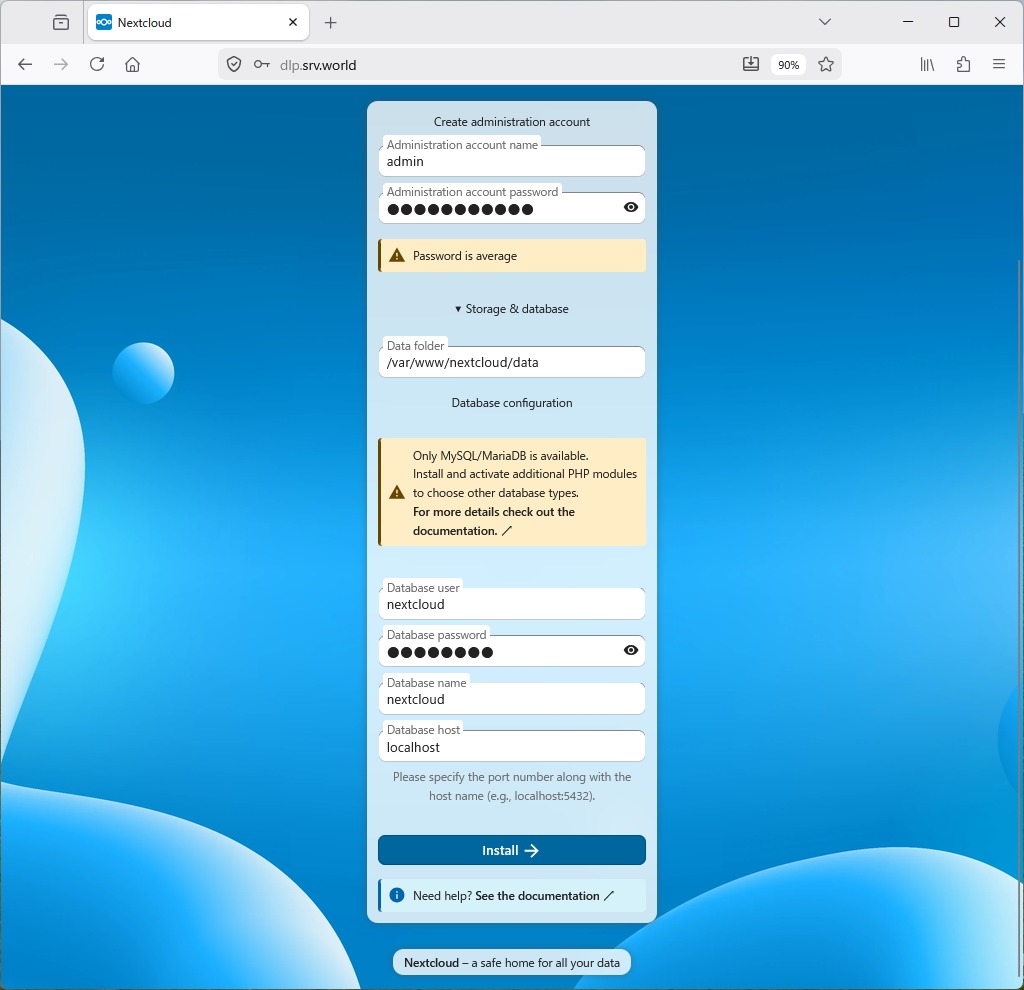
| [9] | Access to the URL [https://(Servers Hostname)/] with Web browser on any Client, then following screen is displayed. Configure Administrative user account and Database connection information. Input any admin user name and password. For Database, specify MariaDB user and database you added on [6]. That's OK, Click [Install]. |
|
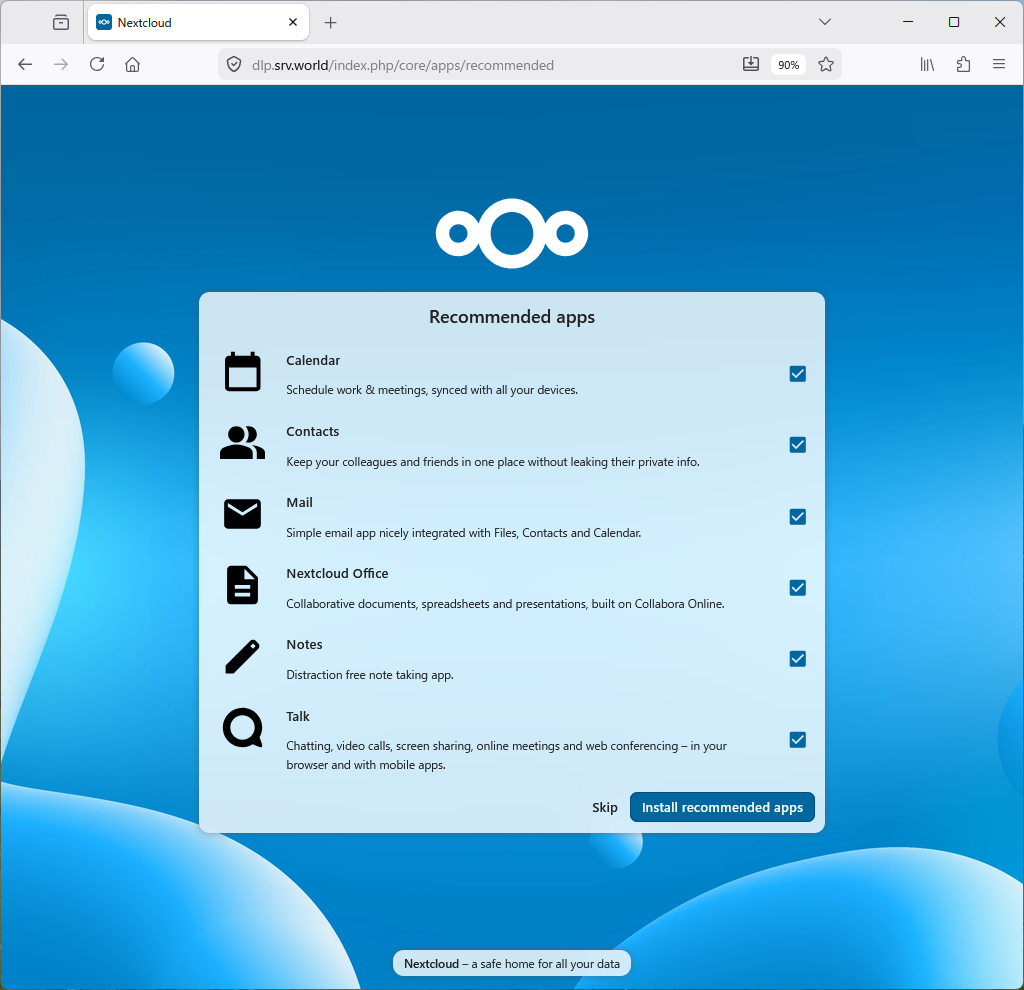
| [10] | Select whether to install NextCloud recommended applications. On thid example, install them. |
|
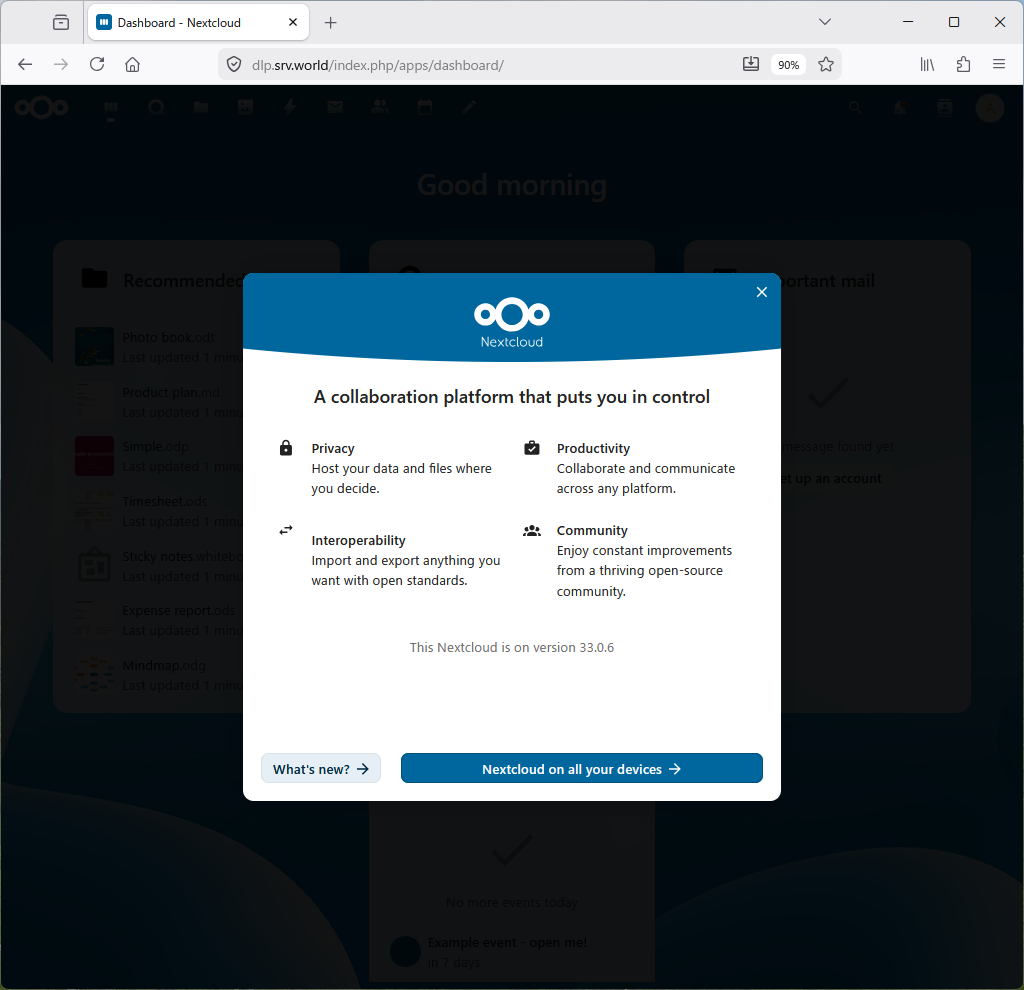
| [11] | The start page will be displayed. |
|
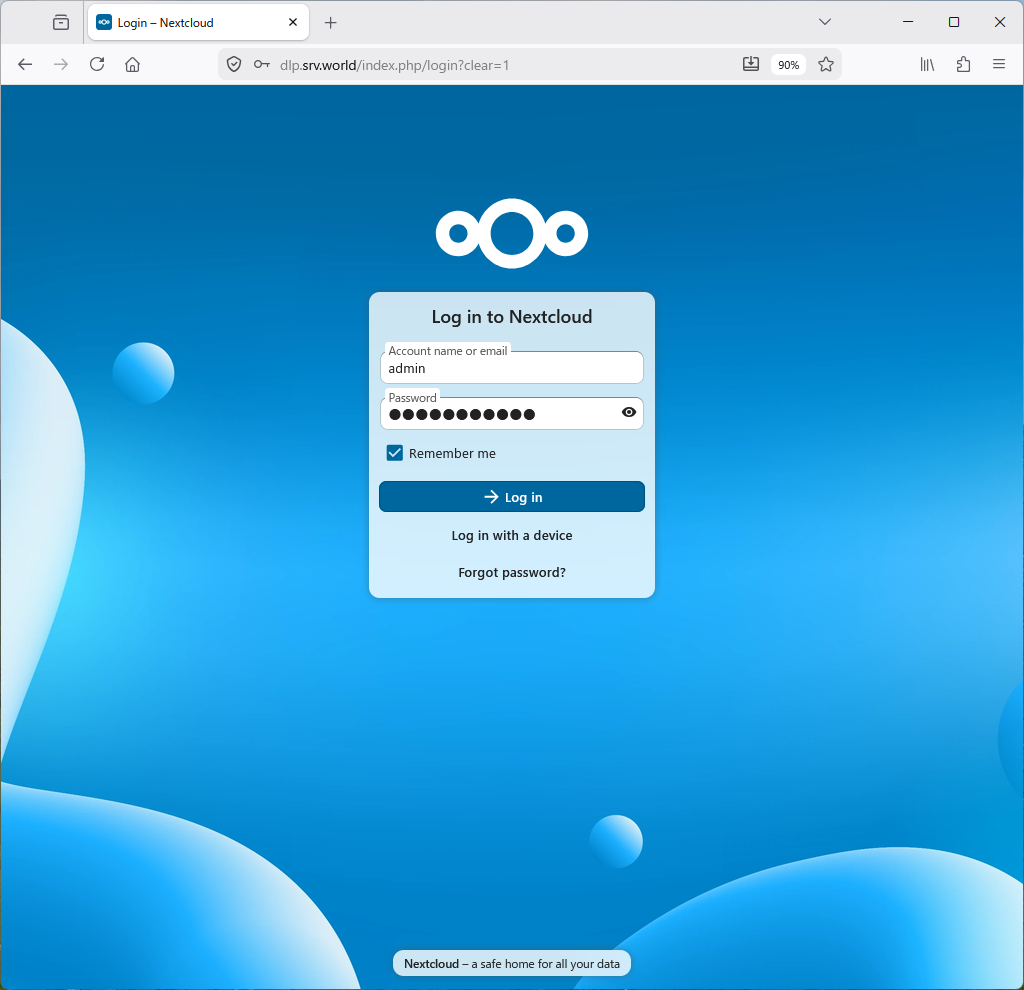
| [12] | After finishing Setup, it's possible to access to NextCloud to the URL [https://(Servers Hostname)/]. |
|
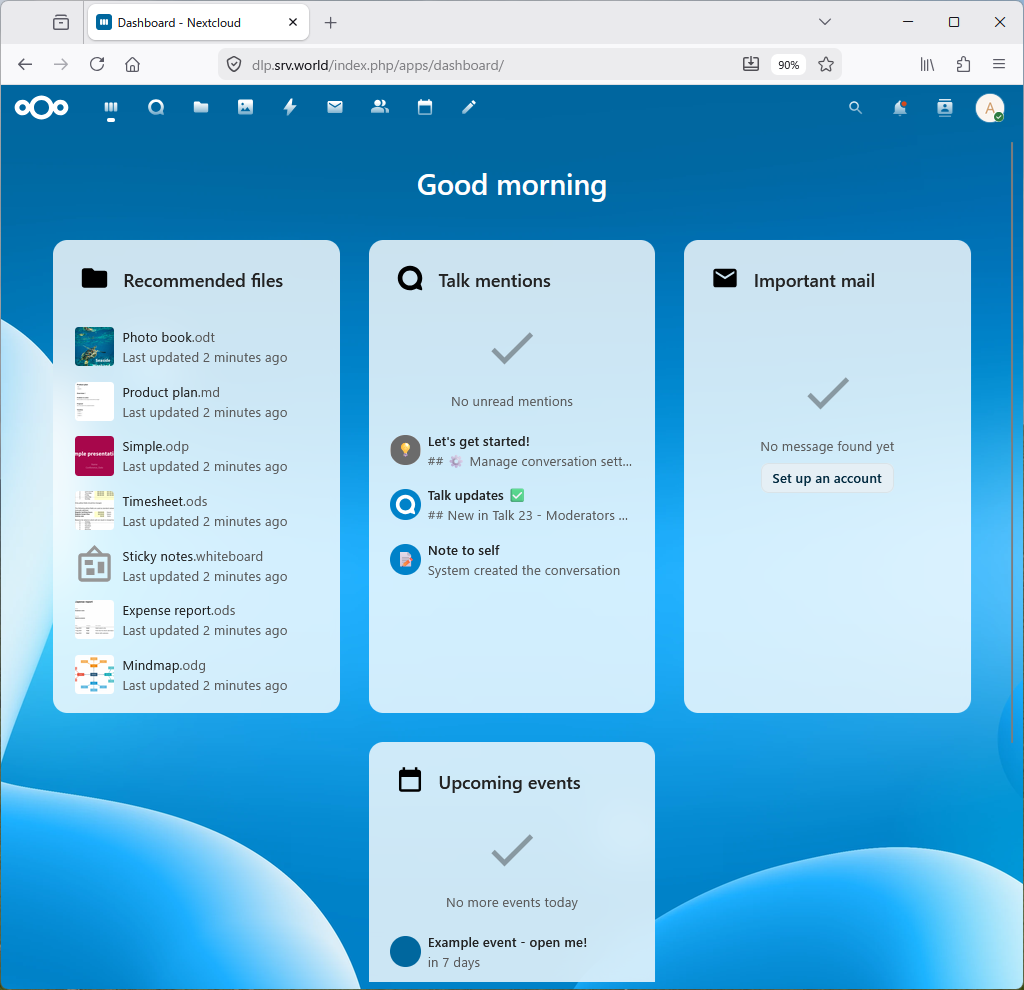
| [13] | This is the Nextcloud start page. |
|
| [14] | After initial setup, configure memory cache and others that are the NextCloud recommended requirements. |
|
root@dlp:~#
vi /var/www/nextcloud/config/config.php ..... ..... // add a line in the section // replace [default_phone_region] value to your own region (ISO 3166-1) 'installed' => true, 'memcache.local' => '\OC\Memcache\APCu', 'default_phone_region' => 'JP', 'maintenance_window_start' => 1, 'memcache.locking' => '\OC\Memcache\Redis', 'memcache.distributed' => '\OC\Memcache\Redis', 'redis' => array( 'host' => 'localhost', 'port' => 6379, 'timeout' => 0.0, ), );root@dlp:~# sudo -u www-data php --define apc.enable_cli=1 /var/www/nextcloud/occ db:add-missing-indices Adding additional mail_messages_strucanalyz_idx index to the oc_mail_messages table, this can take some time... oc_mail_messages table updated successfully. Adding additional mail_acc_prov_idx index to the oc_mail_accounts table, this can take some time... oc_mail_accounts table updated successfully. Adding additional mail_alias_accid_idx index to the oc_mail_aliases table, this can take some time... oc_mail_aliases table updated successfully. Adding additional mail_messages_mb_id_uid_uidx index to the oc_mail_messages table, this can take some time... Removing mail_messages_mb_id_uid index from the oc_mail_messages table oc_mail_messages table updated successfully. Adding additional mail_smime_certs_uid_email_idx index to the oc_mail_smime_certificates table, this can take some time... Removing mail_smime_certs_uid_idx index from the oc_mail_smime_certificates table oc_mail_smime_certificates table updated successfully. Adding additional mail_trusted_senders_idx index to the oc_mail_trusted_senders table, this can take some time... Removing mail_trusted_senders_type index from the oc_mail_trusted_senders table oc_mail_trusted_senders table updated successfully. Adding additional mail_coll_idx index to the oc_mail_coll_addresses table, this can take some time... Removing mail_coll_addr_userid_index index from the oc_mail_coll_addresses table Removing mail_coll_addr_email_index index from the oc_mail_coll_addresses table oc_mail_coll_addresses table updated successfully.root@dlp:~# sudo -u www-data php --define apc.enable_cli=1 /var/www/nextcloud/occ maintenance:repair --include-expensive root@dlp:~# systemctl reload apache2 |
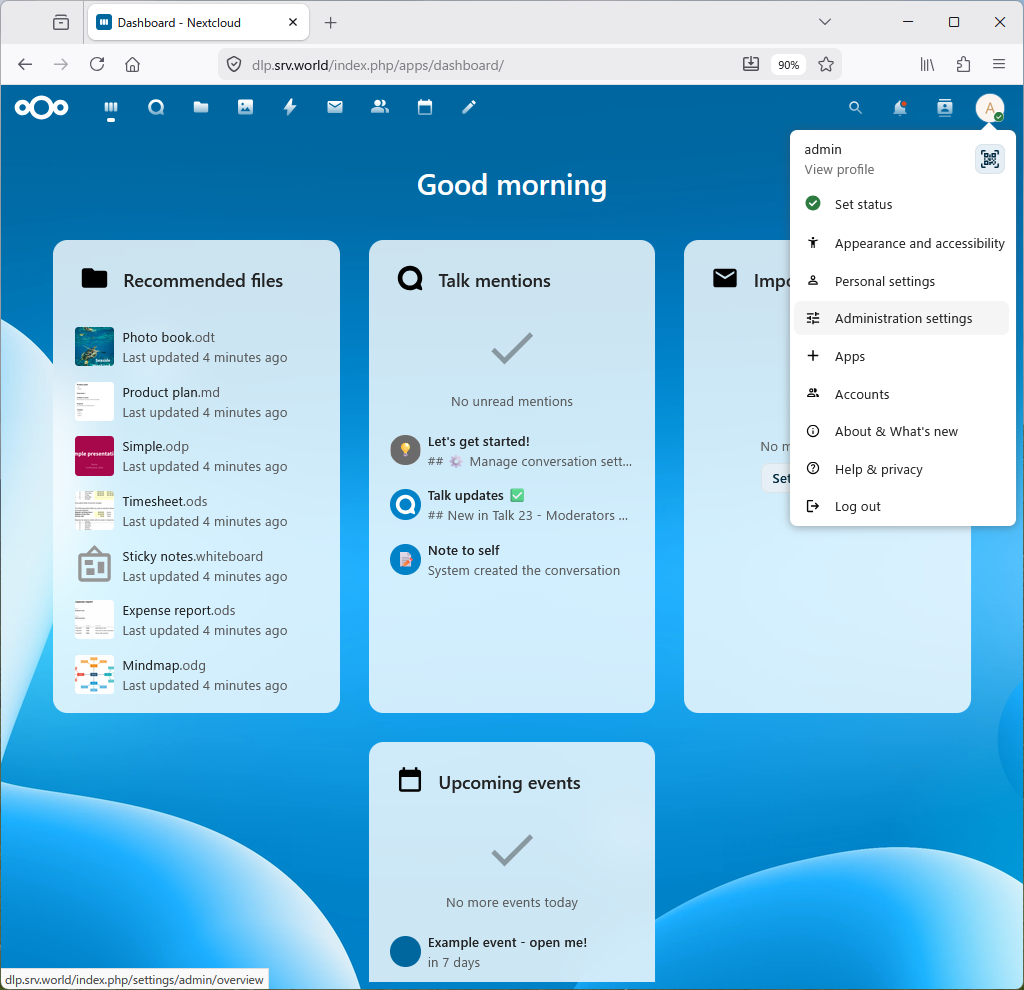
| [15] | Set up a high-performance backend for NextCloud Talk. Log in as an administrative user and open [Administration settings]. |
|
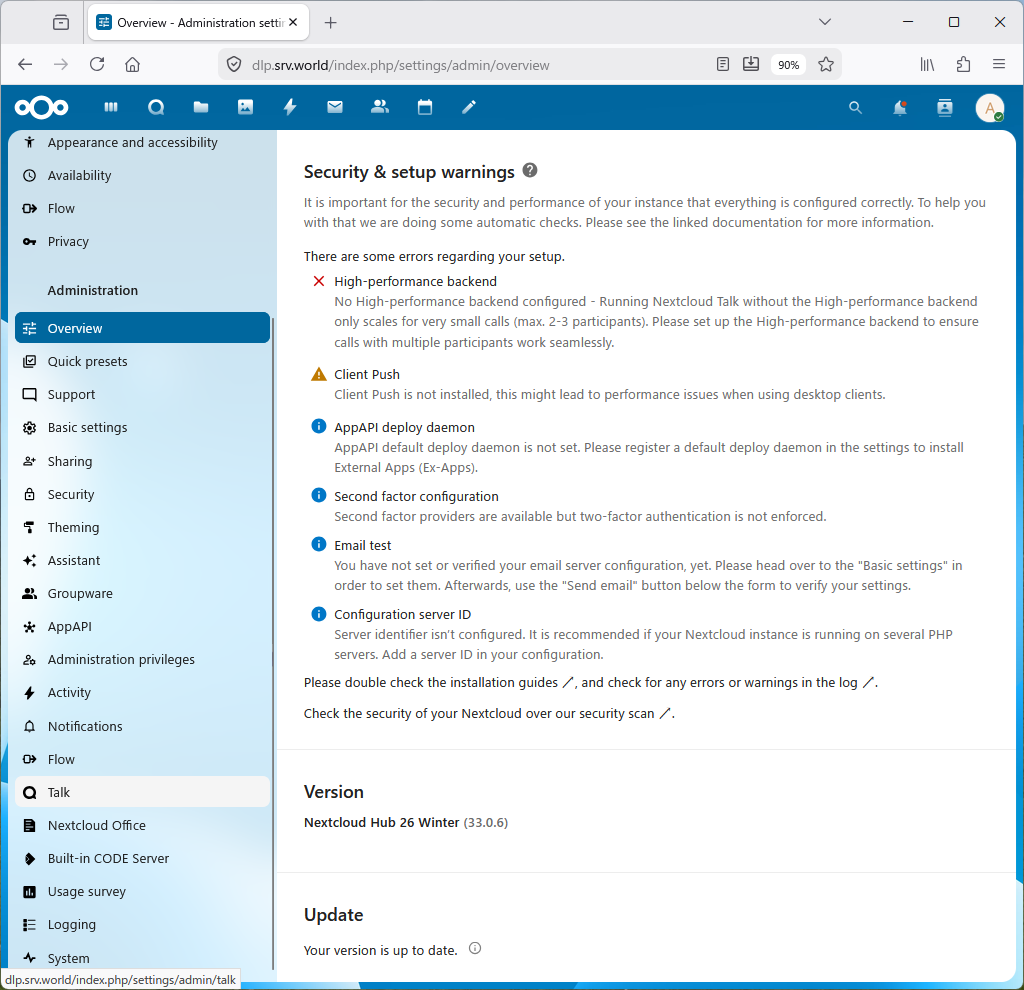
| [16] | Click [Talk] in the left pane. |
|
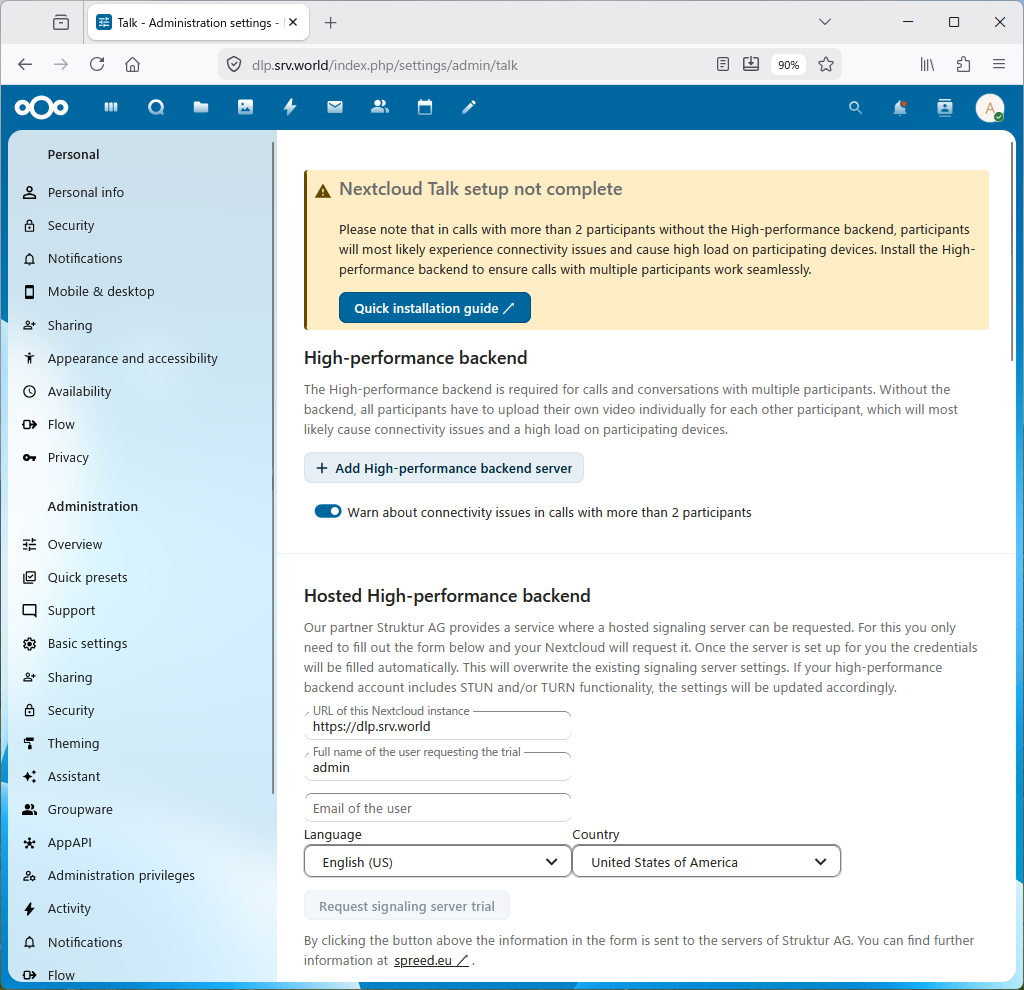
| [17] | Click [Add High-performance backend server] in the right pane. |
|
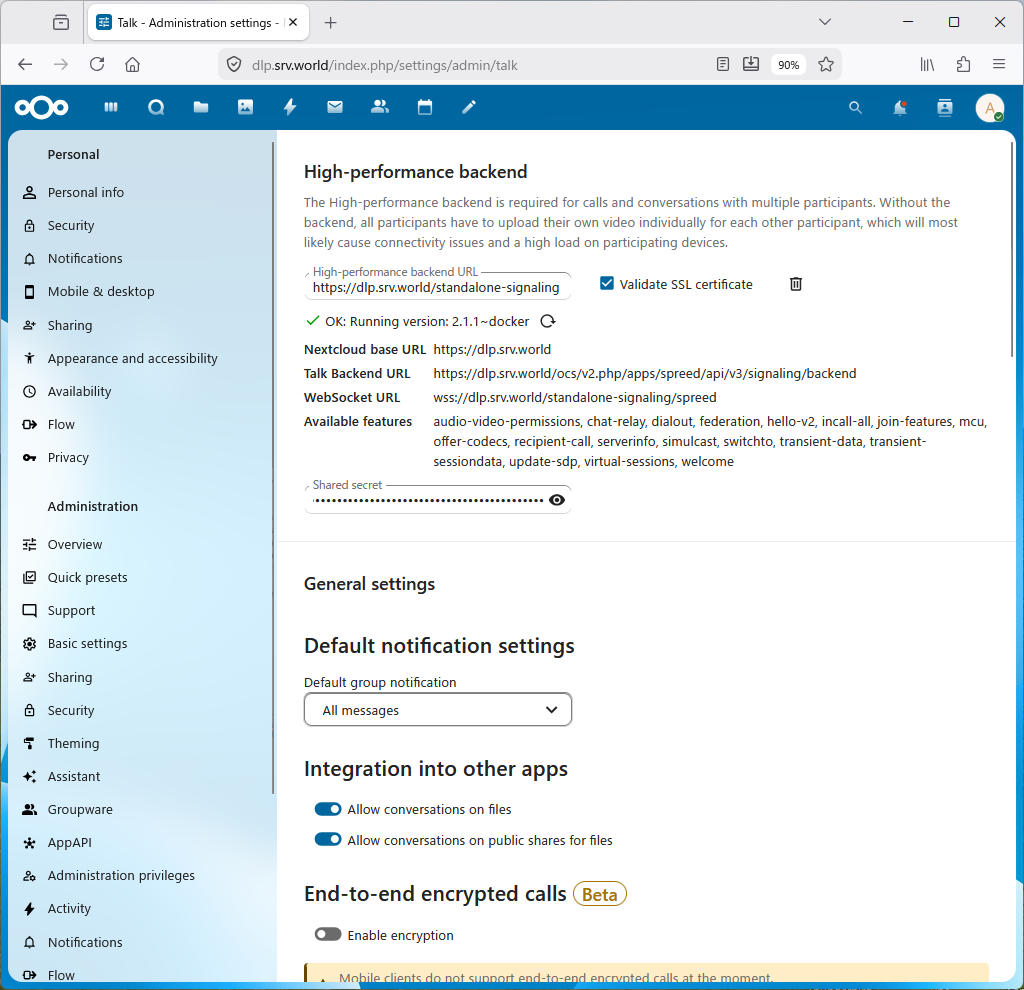
| [18] | In the [High-performance backend] field, enter [https://(your server name)/standalone-signaling/] In the [Shared secret] field, enter the value of [SIGNALING_SECRET] set for the container in [7]. If there are no problems with the settings, [OK] will be displayed as shown below. The settings are now complete. |
|